
Home Design Makeover APK + MOD (Unlimited money) v6.0.2.1
Updated onAPK Detail
| Package Name | in.loop.hdmakeover |
|---|---|
| Category | Simulation |
| MOD Features | Unlimited money |
| Version | 6.0.2.1 |
| Size | 156.6 MB |
| Requires | 4.4 and up |
| Developer | Loop Interactive |
| Price | Free |
Main Content
Home Design Makeover Mod Video
Mod Information
Win a handful to obtain a large amount of gold coins
Home Design Makeover App Detail
Home Design Makeover Mod App Reviews
Title: Home Design Makeover Mod – A Delightfully Addictive Home Renovation Experience
Introduction:
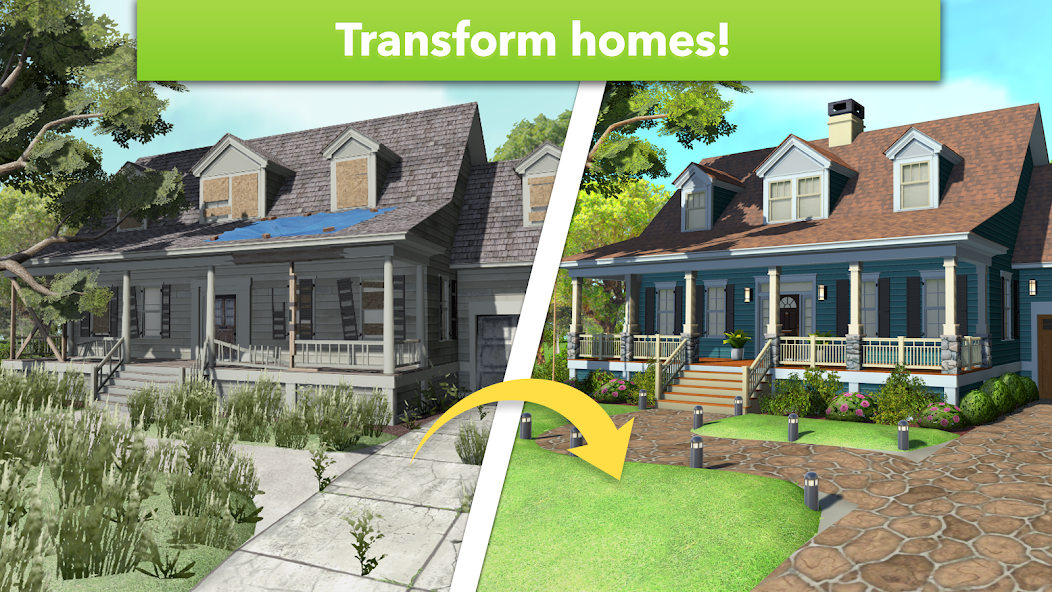
Home Design Makeover Mod offers a thrilling and captivating home renovation experience for mobile gamers. With the added advantage of unlimited money, players can unleash their creativity and transform dull virtual spaces into stunning dream homes. This review explores the various aspects of the game, including gameplay mechanics, graphics, challenges, and overall enjoyment.
Gameplay:
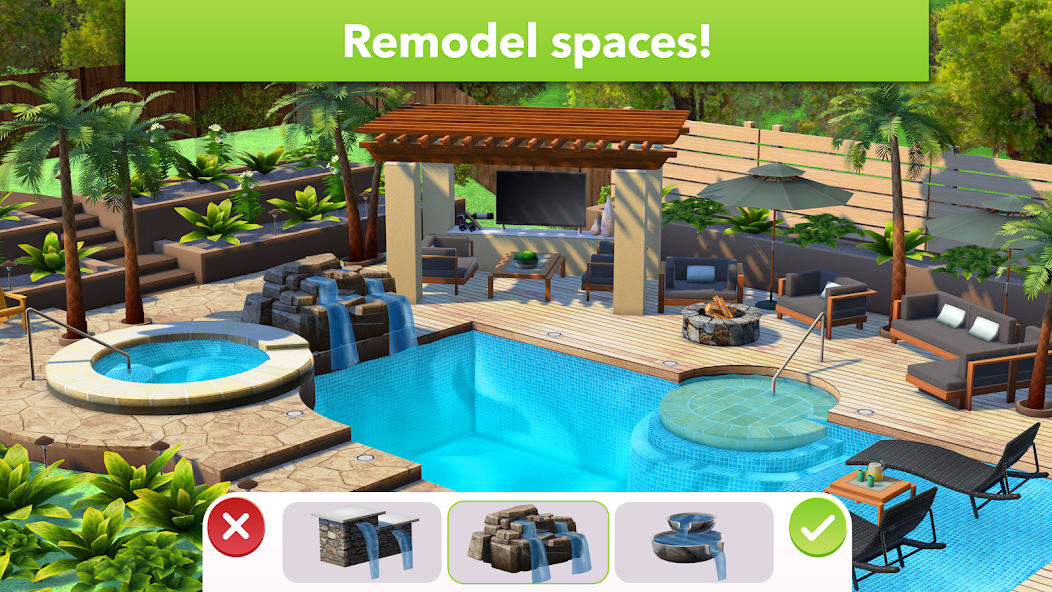
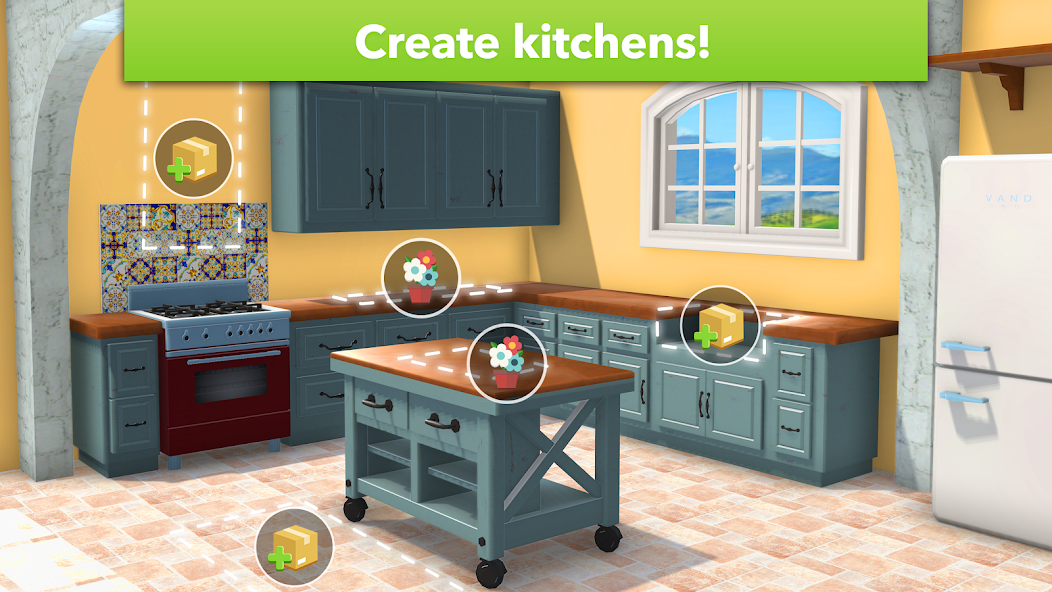
Home Design Makeover Mod's gameplay primarily revolves around renovating and decorating virtual homes. Players are presented with various design projects, each showcasing a different space such as living rooms, kitchens, gardens, or bedrooms. The primary objective is to complete each renovation project within a specific budget and time frame.
The game offers an intuitive interface, allowing players to effortlessly select and place different decorations, furniture, and accessories. With the unlimited money feature enabled, players can experiment freely and bring their wildest home design ideas to life. Collecting rewards for completing tasks and challenges further adds excitement to the gameplay.
Graphics:
The game boasts visually stunning graphics, incorporating vibrant colors and detailed animations. Each virtual space comes to life with intricate textures, realistic lighting effects, and high-quality designs. The attention to detail is commendable, making every renovation project an immersive experience. The realistic representation of various decor items enhances the overall gameplay and enhances the satisfaction of creating a beautifully designed home.
Challenges and Progression:
Home Design Makeover Mod offers a wide range of challenging tasks to keep players engaged. As players progress through the levels, the difficulty increases, introducing new design constraints and budget limitations. Renovating homes within these challenging conditions keeps the gameplay fresh and exciting. The unlimited money feature adds convenience and eliminates any financial constraints, allowing players to effortlessly embark on their creative journey.
Furthermore, the game features a rewarding progression system. Players earn stars and experience points upon successfully completing a renovation project. These progression rewards unlock additional design options, decor items, and virtual currencies. This provides a sense of accomplishment and motivation to continue playing.
Overall Enjoyment:
Home Design Makeover Mod delivers a thoroughly enjoyable home renovation experience. The unlimited money feature enhances the gameplay and encourages players to explore their design capabilities without limitations. The visually appealing graphics and challenging tasks keep players engaged and entertained for hours on end. Whether you're an interior design enthusiast or simply seek a relaxing virtual home makeover game, Home Design Makeover Mod is a must-try.
Conclusion:
Home Design Makeover Mod offers a delightful home renovation experience on mobile devices. With its unlimited money feature, players can indulge in their creative instincts without worrying about budgets. The impressive graphics, challenging tasks, and rewarding progression system combine to create an engaging and addictive gameplay experience. Whether you want to renovate your dream home or immerse yourself in interior design, this game is a fantastic choice.
How to download and install Home Design Makeover Mod APK :
Open your phone's settings and go to the "Security & Privacy" option.
Find the option of "Unknown Sources" and turn it on (skip this step if it is already turned on).
Download and find Home Design Makeover Mod APK to be installed, which can be downloaded through a computer or mobile browser.
Click the downloaded APP installation package, the system will prompt whether to allow the installation of the APP, click "Continue to install".
During the installation process, the system may prompt that the APP needs to access certain device permissions, and the user needs to authorize according to the APP functional requirements.
After the installation is complete, you can find Home Design Makeover MOD on your Android device, and click to use it.
After the installation is complete, it is recommended to turn off the "Unknown Sources" option to prevent other malware from being installed on the device in a similar way.
Notes:
To avoid downloading and installing malicious programs, please try to download apps from official websites or trusted app stores.
Before installing the APP, you should check the permissions of the APP first, and do not easily authorize high-risk permissions to avoid leaking personal information.
Regularly update and upgrade the APP to fix possible bugs and weaknesses.
After installing the APP, it is recommended to install anti-virus software to strengthen device protection and security.
Safety statement
Home Design Makeover Mod APK has been tested and verified by multiple mainstream antivirus software to ensure that it does not contain any malicious programs or viruses. We will constantly update and strengthen security measures to protect user data and privacy.
However, since Home Design Makeover Mod APK comes from an unknown source, there are certain security risks. Therefore, we recommend that users carefully understand the functions and permissions of the APP before downloading and using it, and perform antivirus detection and upgrade operations on mobile phones or computers to avoid installing and using possible malicious programs.
At the same time, we also remind users to pay attention to the following safety precautions:
Download and install APPs should be obtained from official websites or trusted channels, and try to avoid downloading and installing from informal channels;
Do not install apps from unknown sources, and try to avoid using apps from unknown sources;
Do not easily authorize APP to access your private information and device permissions, including address book, camera, location, etc.;
Regularly clean up useless files and caches in your phone or computer to avoid excessive occupation of system resources and impact on device performance;
Upgrade operating systems and software versions in a timely manner, and patch security loopholes and weaknesses.
We attach great importance to the security and privacy of users, and will do our best to ensure the security of users' data and information. Thank you for your understanding and support
Versions History
Comments

1.Rating
2.Comment
3.Name
4.Email